Paste a course link and check the extracted text. Your confirmed material gives the AI a starting point for the plan.
Bring your materials
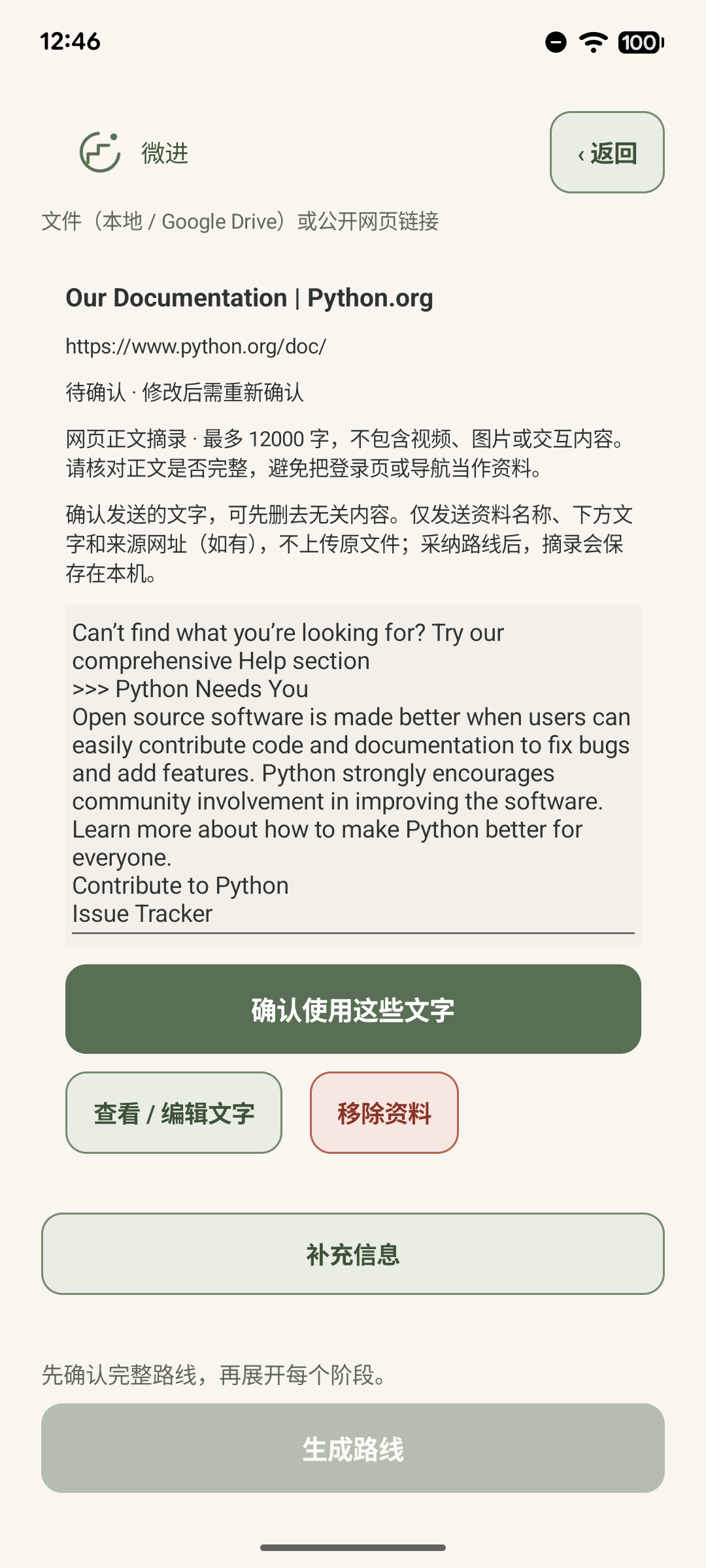
Files and web pages
Select a PDF, Word document, slide deck or text file, or paste a public course or paper link. Review the extracted text before adding it to your plan.
Photo text recognition
Choose up to six photos, reorder the pages and edit the text. Recognition starts on your device. Only failed photos are sent for AI assistance with your consent.
Pixel 6 · Chinese app interface
Find a first step for today
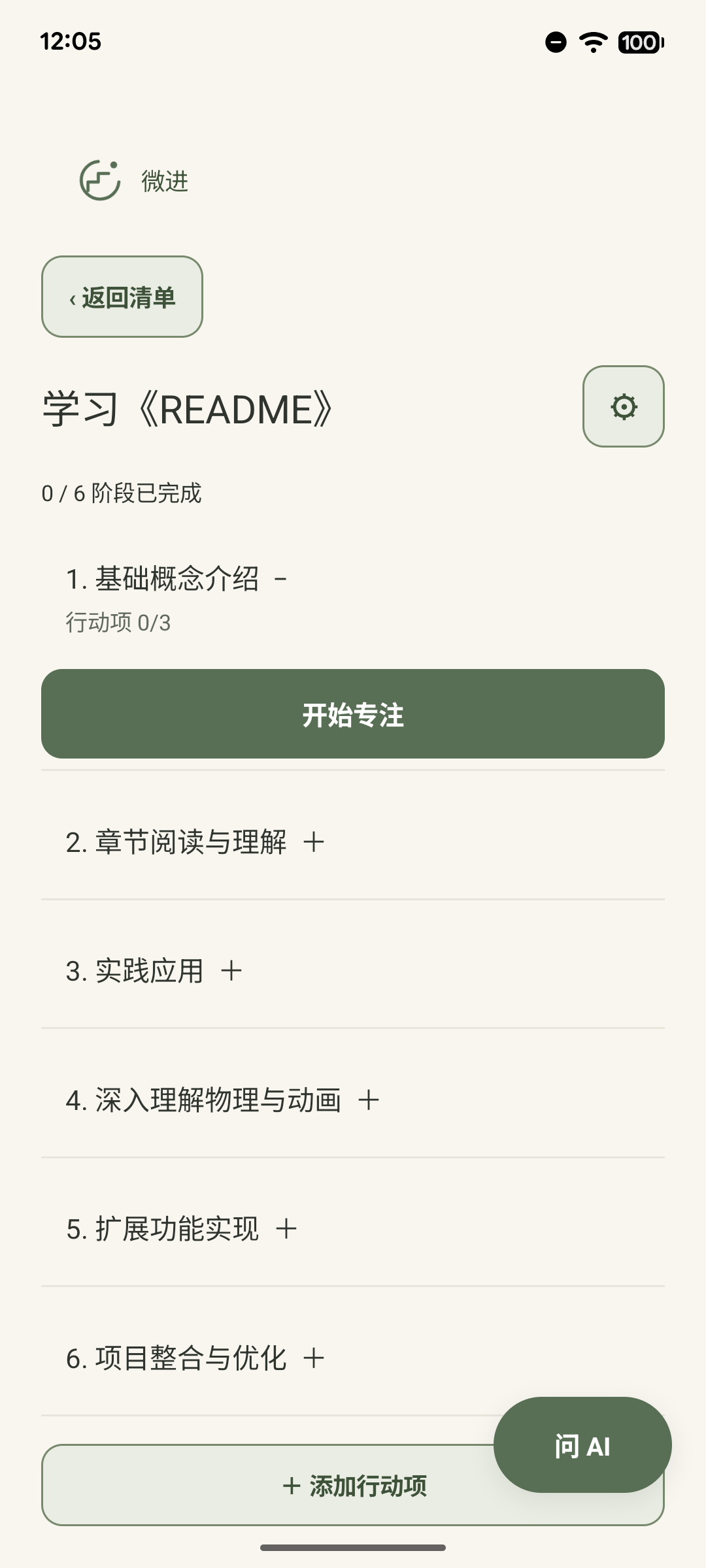
Learning Python? Review the stages, then pick a task that fits the time you have today.
Build your learning plan
A roadmap for your goal
Describe what you want to learn and optionally add your starting level and desired outcome. Review the suggested stages and edit the roadmap before saving.
A first session that fits
Choose 30, 60, 90 or 120 minutes. Your first session includes a summary, reading, practice and a recall check. Longer sessions include a break.
Manual planning and smaller steps
Add your own stages and tasks. If a step feels too big, break it down with AI or edit its action checklist yourself.
Pixel 6 · Chinese app interface
Stay with the task at hand
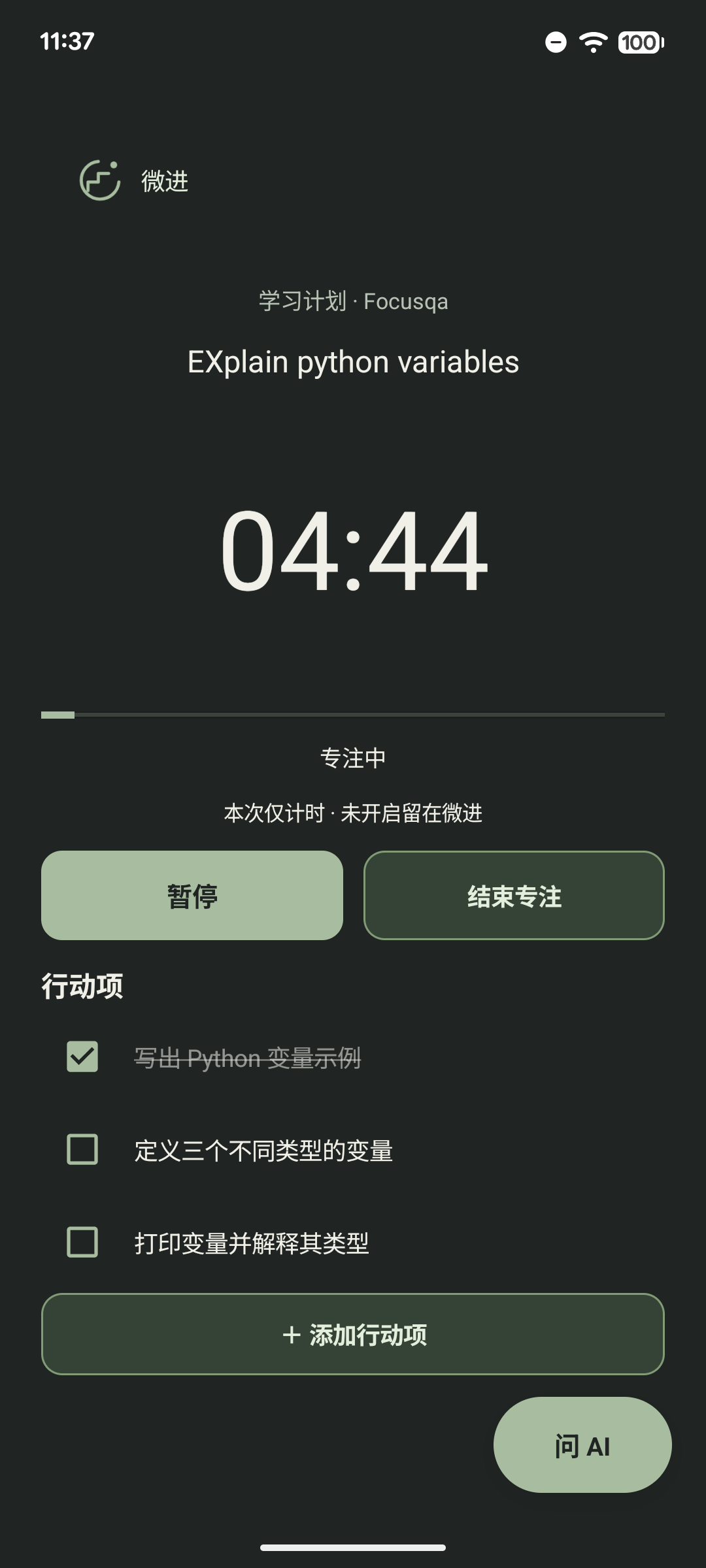
Open a task and work through its checklist. If a question comes up, ask the AI while your timer keeps running.
Work through a task
Questions in context
Ask about the task in front of you. AI can use your confirmed materials and action items. Copy code from an answer or ask during a focus session while the timer continues.
Timers and Pomodoro breaks
Choose a suggested duration or set a timer from 1 to 180 minutes. Pause, resume, record a distraction and decide whether to finish the task or come back to it.
Optional Android focus protection
Enable Stay in StudyNotch to see a confirmation when switching apps. You can disable it at any time. Ordinary timers work without accessibility permission.
Pixel 6 · Chinese app interface
Give someone a copy of your plan
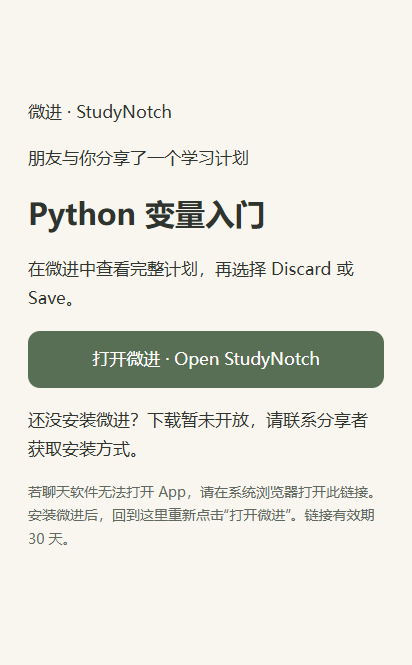
A friend can preview your plan and save a copy. Your materials, chats and progress stay private. Sharing is in testing.
Reflect and return
Study history
Review the last seven days of time spent, tasks and distractions. Leave a reflection about where you got stuck so you have a place to start next time.
Share a plan
The test candidate supports sharing a plan link. A friend can preview it and save a separate copy. Original materials, chats and personal progress stay out of the shared plan.
Account sync and comments
The test candidate also includes account-based plan sync and comments on shared plans. Availability depends on the companion service rollout and testing.
Share page · sample plan
One goal.Your own plan.
A chapter, a set of notes, a page you photographed. Start with what you want to learn, then choose how much time to give it.
Try a session length
See how a sample session changes with your time.
Example session
Explain a Python expression from memory.
Find the key ideas10 min
Try the examples15 min
Recall without notes5 min
Focus session
14:59
✓Write a variable
Predict the output
Explain your answer
Product illustration
Stay withthe next step.
Open one task, work through its actions and ask a question in context. A timer is there when you want it.
A few things to know
Can I create my own plan?
Yes. Add your own stages and tasks, or review and edit AI suggestions before saving.
What materials can I use?
Use supported documents, public web pages or photos. Review the extracted text before using it in a learning plan.
Is it available on Google Play?
The Android beta is distributed as an APK for invited testers with an invitation code. Google Play distribution is still in preparation.
Try StudyNotch on Android
0.1.1-beta.1 · ARM64 Android · 30.3 MB. Enter your invitation code to download the signed APK.
If Android reports a signature mismatch, keep your existing installation and use another test device.
 StudyNotch